 ScreenRecess
Use, recess,
repeat.
Keep enjoying your favorite apps, with a timed recess built into your routine.
Choose the apps and your shared usage allowance. When the recorded allowance is used, ScreenRecess pauses those apps for recess, then restores access for the next cycle.
Share ScreenRecess with up to six people.With Apple Family Sharing and Purchase Sharing enabled.
For iPhone, including iPhone Duo, and iPad, including iPad mini. Requires iOS or iPadOS 26 or later.
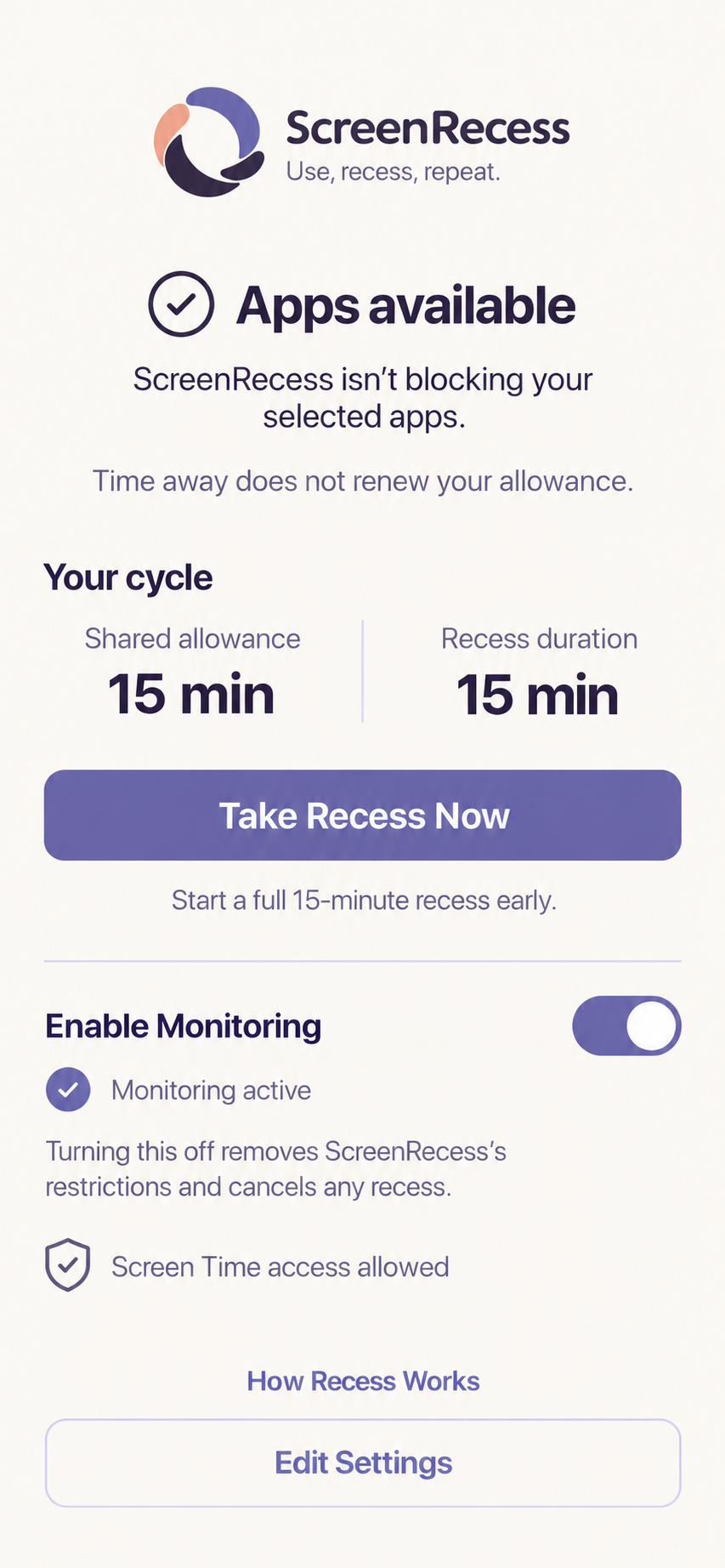
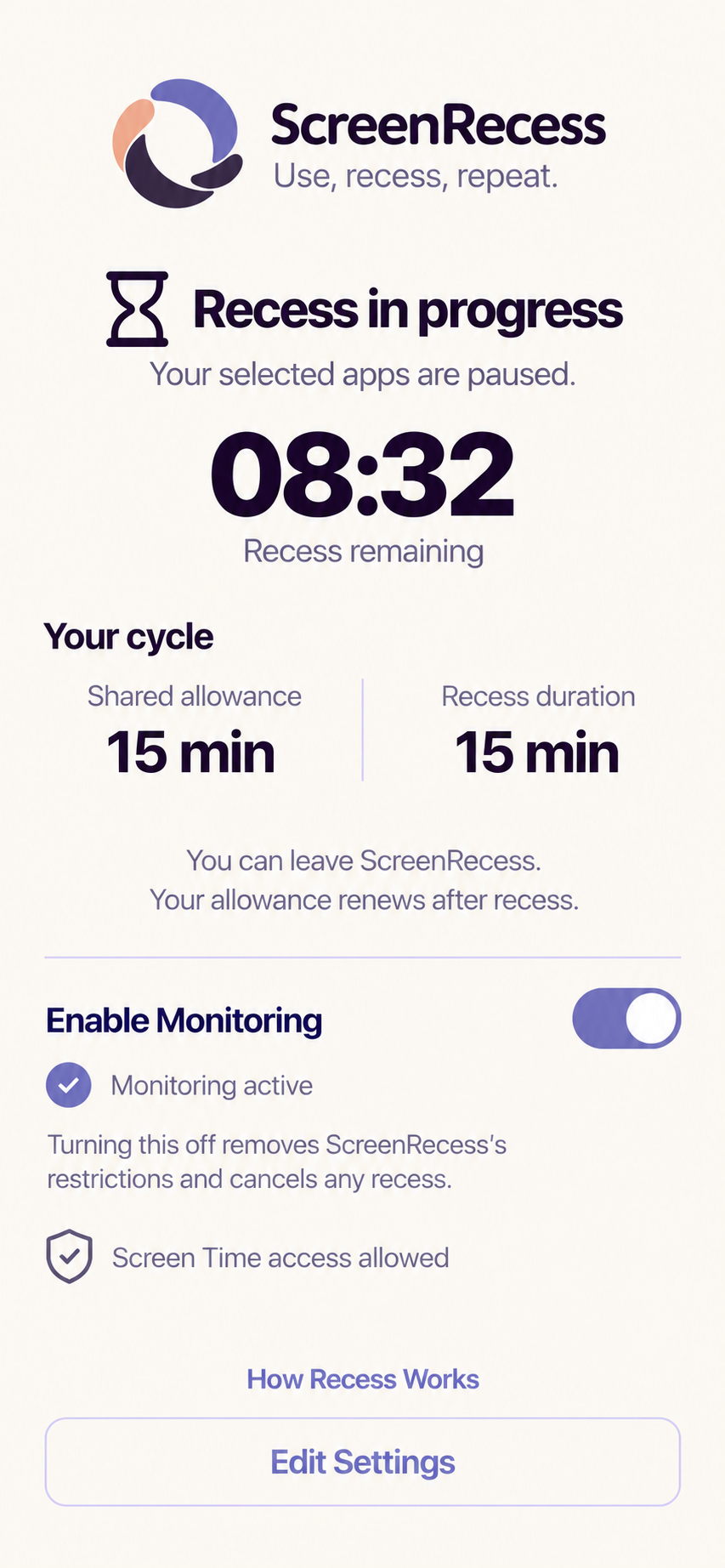
Watch the walkthrough
See ScreenRecess in action.
From setup to your next recess, watch how it works in under five minutes.
How it works
Choose your apps.
Set your rhythm.
Choose your apps.
Approve Screen Time access and select the apps or categories you want to include using Apple’s picker.
Use your shared allowance.
Usage across your selection adds up, including when you switch between apps.
Take a timed recess.
At recorded allowance exhaustion, your selected apps are paused. After recess completes, access returns and a fresh allowance begins.
One shared allowance.
With a 10-minute allowance, 6 recorded minutes in one selected app plus 4 in another reaches the allowance. A 15-minute recess follows, then the cycle begins again.
Time away doesn’t reset your allowance. Leaving an app or locking your device preserves your recorded use until recess completes.
A rhythm you can choose
Start with 10 minutes of use and 15 minutes of recess.
Choose a preset—5/15, 10/15, or 15/15—or set your own timings.
Independently configurable in one-minute increments.
Ready for a break sooner? Take Recess Now starts your full configured recess early. It gives you a fresh allowance after recess completes.
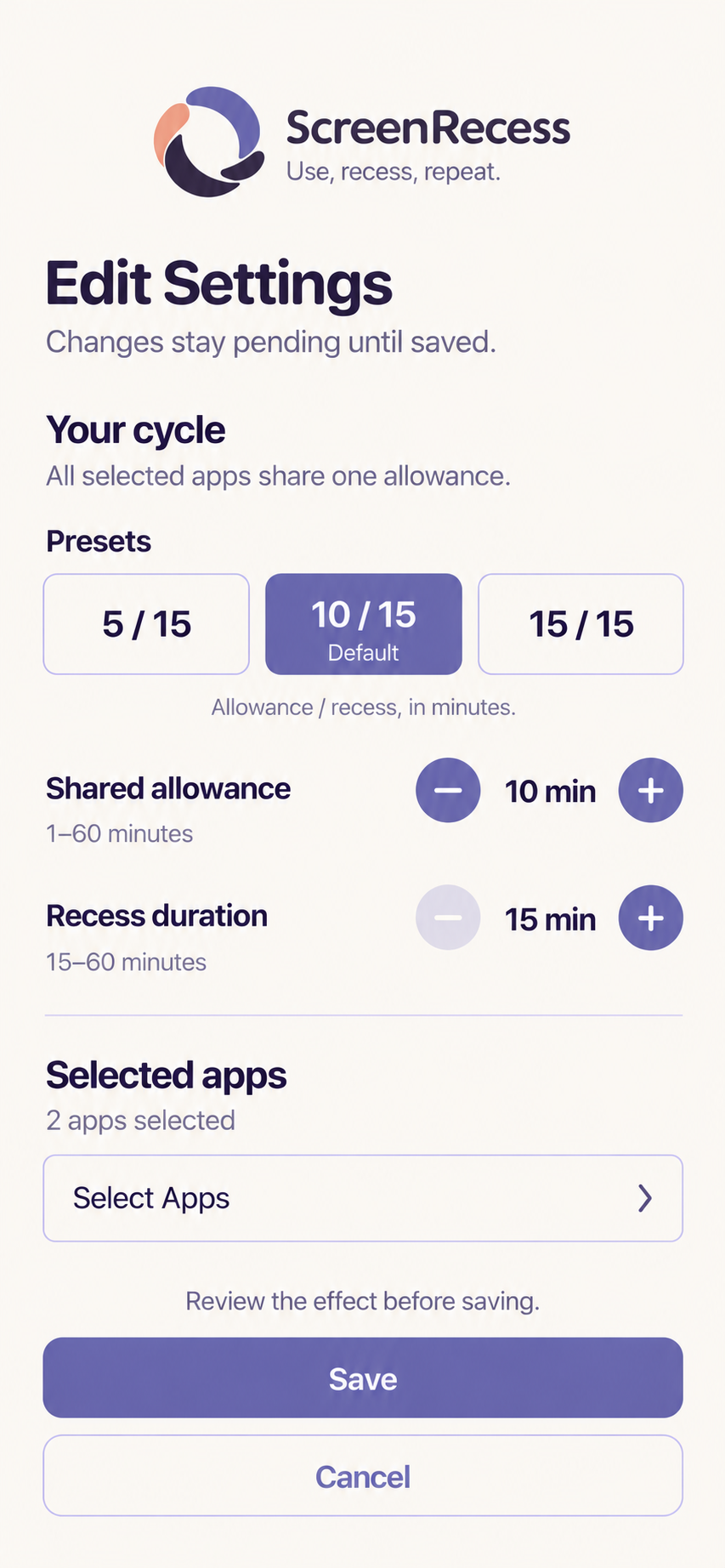
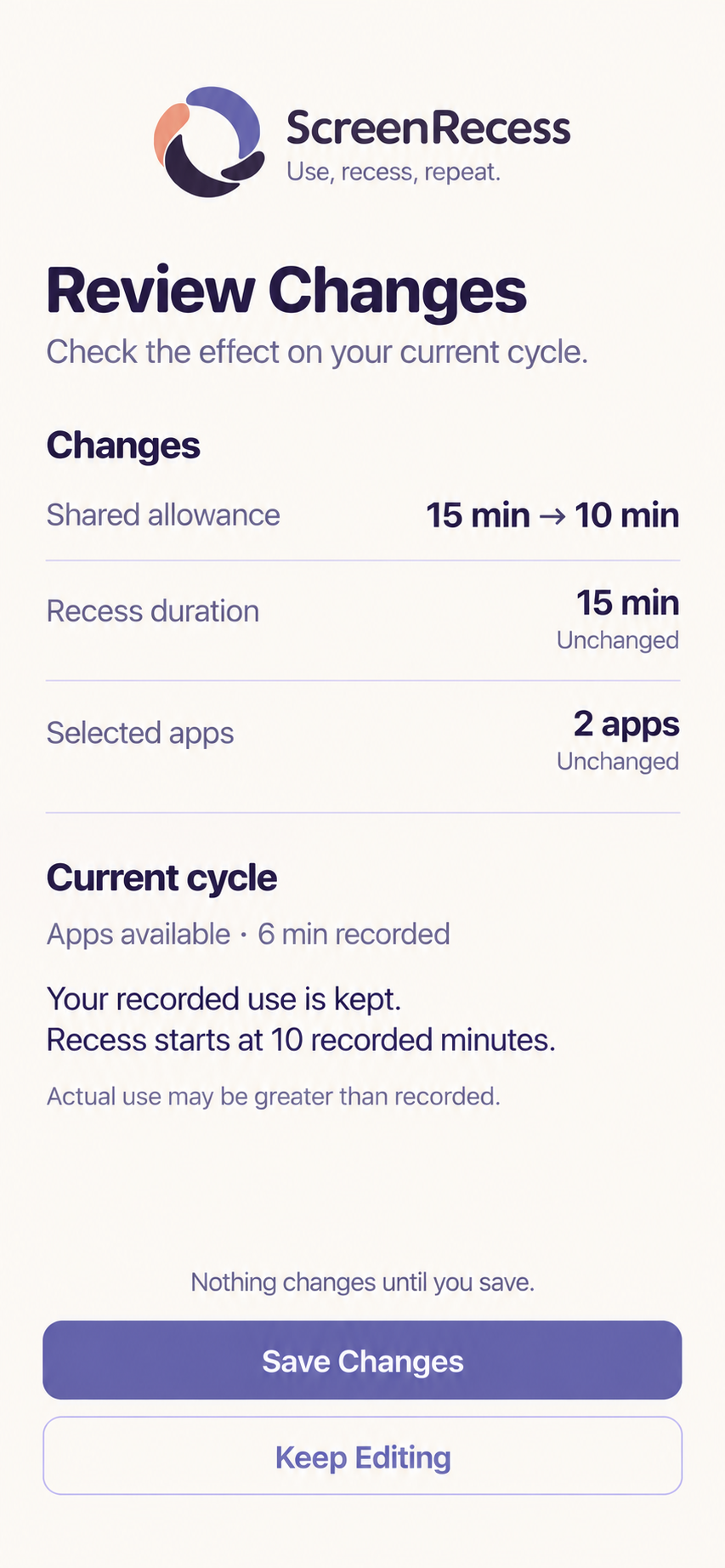
You stay in control
Simple controls,
clear changes.
Enable or disable monitoring inside ScreenRecess. Turning it off removes this app’s restrictions and cancels an active recess. Turning it back on starts a fresh allowance when setup and permission are ready.
Review settings changes before saving. Screen Time permission remains a separate Apple-controlled setting.
Private by design
Your screen time is your business.
No tracking SDKs.
Your app selections and recorded usage stay on your device. ScreenRecess doesn’t send them to us, and it doesn’t read your messages, posts or feeds.
Read our privacy policyDoes it detect scrolling?
No. ScreenRecess measures cumulative use of your selected apps, rather than scrolling gestures or the content you view.
Is this a daily limit?
Your allowance renews after a completed recess. It isn’t a daily budget that resets at midnight.
Will switching apps give me more time?
Selected apps share one allowance. Switching between them keeps your recorded use.
Do I need to reopen ScreenRecess after each recess?
The app is designed to restore access and begin the next allowance in the background. If access or monitoring needs attention, open ScreenRecess to check its status. Other Screen Time restrictions can still affect access.
How precise is the allowance?
ScreenRecess records completed minutes. System delivery delays, missed updates, or monitoring gaps can undercount use. Recorded minutes carry forward when monitoring windows renew, but a partial minute can be lost at that boundary. Actual use can be greater than recorded; exact-second enforcement is not promised.
Which devices and languages are supported?
ScreenRecess works on iPhone, including iPhone Duo, and iPad, including iPad mini, with iOS or iPadOS 26 or later. The app supports English, Spanish, French, German, and Brazilian Portuguese and follows your device’s language preferences, including its per-app language setting. This website and its support and privacy pages are in English.
Set up ScreenRecess separately on each device. App selections, usage allowances, and recesses are managed on that device and do not sync between devices.
Can my family share ScreenRecess?
Yes. When Purchase Sharing is enabled, up to six people in the same Apple Family Sharing group can use ScreenRecess. Each person uses their own Apple Account.
Set up ScreenRecess separately on each device, including Screen Time authorization. Each device keeps its own selected apps, settings and recess cycle. ScreenRecess does not sync usage between devices or provide remote parental management.
All family members must use the same Apple Account country or region. Learn how to turn on Purchase Sharing, then download from a family member’s purchases.
Make room for a recess.

Share ScreenRecess with up to six people.With Apple Family Sharing and Purchase Sharing enabled.
For iPhone and iPad. Requires iOS or iPadOS 26 or later.
Apple, the Apple logo, iPhone, and iPad are trademarks of Apple Inc., registered in the U.S. and other countries. App Store is a service mark of Apple Inc.